

Wavlink Router Security Vulnerabilities in 2026: What You Need to Know
Are you using a wavlink router device to have a stable and secure network. If yes then you should know about the wavelength router security vulnerabilities so you can protect your network and sensitive information. In 20-26 several security researchers disclosed new vulnerabilities affecting certain routers. It is very important for you to know them to protect your device. Here you will find complete information on security risk and how you can protect your network.
Security Vulnerabilities
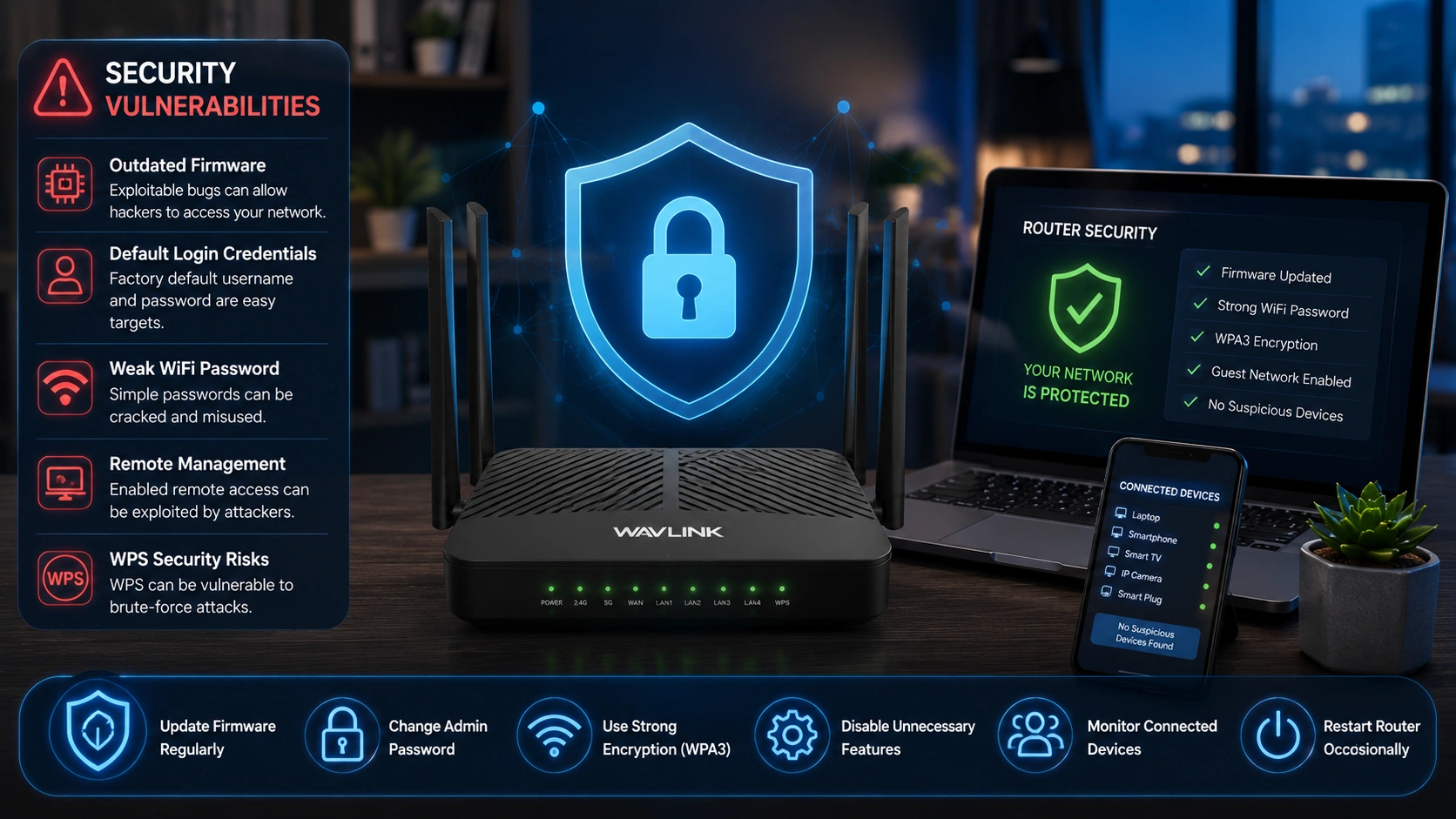
Wavlink router security is essential because overlooking it can leave your network vulnerable to unauthorized access, data theft, malware attacks, DNS hijacking, device takeover, and poor internet performance. Protecting your router is just as important as securing your computer, smartphone, or any other connected device. Below are some of the most common security flaws that can affect your Wavlink router.
Outdated Firmware
Running your Wavlink router on outdated firmware is one of the biggest security risks. Older firmware versions may have vulnerabilities that cybercriminals can exploit. They can gain access to your network or personal information. You should keep your firmware updated to protect your network.
Default Login Credentials
Many users continue using the default administrator username and password after completing the initial setup. Since these default credentials are widely known, attackers can use them to access your router if they haven’t been changed.
Weak WiFi Password
Using simple Wi-Fi passwords such as 12345678, password, homewifi, or officewifi makes it much easier for unauthorized users to connect to your network. A strong and unique password significantly improves your router’s security.
Remote Management Enabled
Remote management allows you to access your router settings from outside your home network. While this feature is convenient, it can also become a target for hackers if it remains enabled when not needed.
WPS Security Risks
WiFi Protected Setup (WPS) makes it easier to connect new devices using a button or PIN. However, WPS has historically been vulnerable to brute-force attacks. If you do not use this feature regularly, it is safer to disable it.
How to Protect Your Router Network
Following these best practices can help secure your Wavlink router and minimise security risks.
Update Firmware Regularly
Check for firmware updates regularly and install the latest version whenever one becomes available. Firmware updates not only improve your router’s performance but also include important security patches that protect against known vulnerabilities.
Change the Admin Password
Never continue using the factory-default administrator password. After setting up your Wavlink router, create a strong and unique admin password. If you haven’t changed it yet, now is the perfect time to do so.
Use Strong Wireless Encryption
Enable WPA3 encryption whenever possible. If your router or devices do not support WPA3, use WPA2-AES instead. Avoid outdated security protocols like WEP, as they no longer provide adequate protection.
Disable Features You Don’t Need
If you don’t regularly use features such as Remote Management, WPS, or UPnP, consider disabling them. Turning off unnecessary services reduces potential entry points for attackers.
Monitor Connected Devices Regularly
Review the list of devices connected to your Wavlink router from time to time. If you notice an unfamiliar device, remove it immediately and change your WiFi password to prevent further unauthorized access.
Restart Your Router Occasionally
Restart your router periodically to clear temporary glitches, refresh network connections, and ensure firmware updates are applied correctly. A simple reboot can also improve overall network stability.
Additional Security Tips
Connect us
Wavlink Router Security Vulnerabilities in 2026 and preventions given above will help you keep your device network secure. You have to follow the steps as mentioned to prevent and keep your device secure. If you are facing any difficulty in updating firmware or enabling WPA3 security settings then you should communicate with experts. Our experts are available on call and live chat. You need to contact the below mentioned number or drop text in live chat. Hurry!

